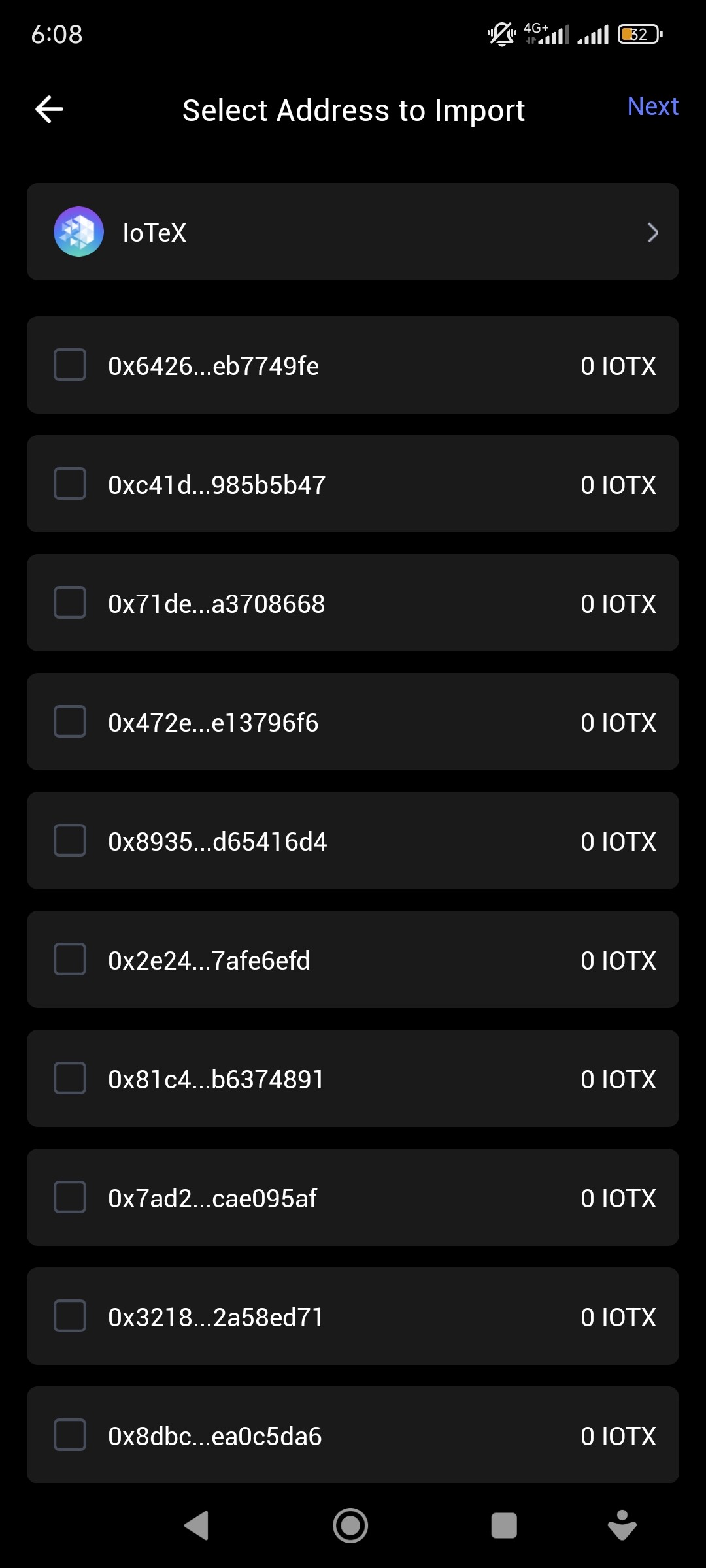
Lately I have sent iotex token from my coins ph wallet to my exodus wallet but I have selected the wrong network which is the native iotx network though the recipient address to my exodus wallet is correct and that it seems the exodus wallet does not support the native iotx network and the transaction is mark as successful via transaction hash id in the native iotx network but not receive in my exodus wallet.
How can you help me this to reflect it in my exodus wallet?
Your tokens aren’t gone, they’re just sitting on the IoTeX blockchain where that wallet can’t see them. Transactions are final.
You need to take your Exodus private key or seed phrase and import it into a wallet that does support the IoTeX native chain, like ioPay or a properly configured MetaMask.
Next time, check wallet and network compatibility before you send. DYOR or cope.
Yeah, the seed phrase is the master key. It doesn’t belong to MetaMask or Exodus; it is the wallet.
You can—and in this case, must—use those 12 words in any wallet that speaks the right language. ioPay speaks native IoTeX, so import it there.
Just a heads up, plugging your main seed phrase into every new app you find is like using your house key to start your car, open your office, and unlock your gym locker. It works until it doesn’t. Get your funds, then maybe consider compartmentalizing.
“Not working” isn’t a bug report, it’s a vibe. Be specific.
The seed phrase is the key, but it opens a building with many doors (addresses). You probably just walked into the wrong room.
When you imported into ioPay, it likely defaulted to the first address (derivation path). Your funds are probably on a different one. Poke around in the wallet’s settings to add or switch accounts derived from that same seed phrase until you find the one holding your IOTX. The funds are there. You just have to actually look for them.
Yes, that’s exactly it. Welcome to derivation paths.
Your original Exodus address—the one you sent the IOTX to—is in that list somewhere. You have to find it.
Go back to your transaction history on Coins.ph, copy the exact recipient address, and then scroll through this list in ioPay until you find the matching one. Select it and hit next.
The funds won’t show up on this selection screen. You have to import the address first. The blockchain knows the balance, your wallet just needs to be pointed at the right door.
Yeah, it’s normal. Your 12-word seed phrase isn’t the key to a single room, it’s the master key for the entire building. Each of those is a different address it can create.
Your funds are sitting behind one of those doors. You just have to find the right one.
That’s not a problem. It’s just a cosmetic difference.
Think of it like this: The caps are an optional error-checking feature, like a spellcheck. The actual address underneath is case-insensitive. io123abc and io123ABC point to the exact same place.
Your funds are there. Just select the lowercase address that matches the one you sent to and import it. You’re at the finish line, don’t trip now.