
ioTube is a cross-chain bridge that connects IoTeX to other blockchain networks, enabling new assets and liquidity from other blockchains to flow into IoTeX, and positions IoTeX to deliver unique IoT assets to other blockchains in the future.
ioTube currently bridges IoTeX with Ethereum, Binance Smart Chain, Polygon and Solana. In this tutorial we will show how to transfer SPL tokens from Solana to IoTeX.
See all ioTube tutorials:
Convert your SPL assets and bring new liquidity to the IoTeX Network now at ioTube | IoTeX Cross-Chain Bridge - Secure & Fast Blockchain Asset Bridge Platform
-
Download Solana wallet
-
Send SPL tokens from Solana to IoTeX
-
Send XRC20 tokens from IoTeX to Solana
1. Download Solana plugin wallet
There are many plugin wallets on Solana, such as Phantom, Backpack, Solflare, etc. Download and choose your preferred Solana wallet to transfer tokens to the IoTeX chain.
Here are the download websites for common Solana wallets:
-
Phantom: https://phantom.app/
-
Backpack: https://backpack.app/
-
Solflare: https://solflare.com/
2. Send SPL tokens from Solana to IoTeX
The purpose of this operation is to lock a certain amount of SPL tokens on Solana, and create an equivalent amount of IoTeX version (XRC20) of the same token on the IoTeX blockchain.
2.1 Open and connect to ioTube DAPP
Click the “Solana” tab and select the solana blockchain as the source network
Click the “Connect Wallet” link to allow ioTube to connect to your Solana wallet
Confirm the connection in wallet

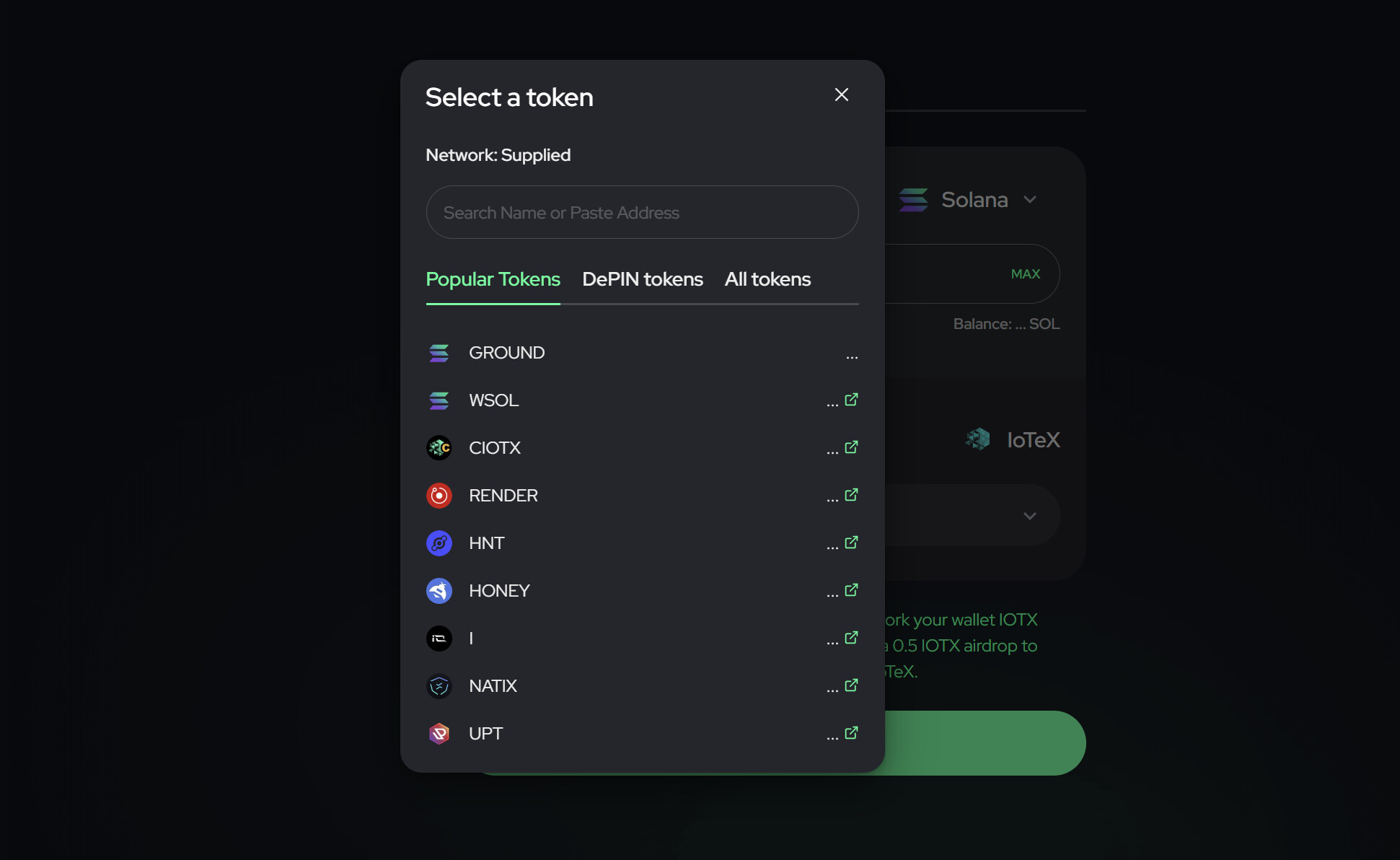
Choose the SPL token to send to IoTeX
From the drop-down list, select which SPL token you want to move from Solana to IoTeX. If your favorite tokens are not listed, please submit your request to the team at any time.
2.2 Send the transfer
-
Select the amount of SPL tokens you want to move
-
Input the IoTeX destination address (! Do not set an Exchange address as a destination)
-
If requested, click “APPROVE” and confirm the Approve transaction in Phantom
-
Finally, click “Transfer” and confirm the transfer in wallet.
After the transaction is confirmed in the Solana network, your SPL tokens will be “locked” in a Solana smart contract, while the same amount of the equivalent XRC20 token will be “minted” on the IoTeX blockchain. This means the circulating supply of the SPL token you converted will stay the same, taking into account versions from both Solana and IoTeX blockchains!
Congratulations! You just moved your assert from Solana to IoTeX!
3. Sending XRC20 Tokens from IoTeX to Solana
You can do this step using plugin wallets like MetaMask, OKX Wallet, or others that support the IoTeX network.

IoTeX Network Info:
-
Chain ID: 4689
-
Explorer URL: https://iotexscan.io
-
RPC URLs (you can use any of these):
You can send XRC20 tokens from the IoTeX blockchain to Solana by simply reversing the steps in the cross-chain tutorial above.
-
Make sure to select IoTeX as the source network in ioTube.
-
Follow the same steps as mentioned in sections 2.1 and 2.2 when transferring from Solana to IoTeX.
-
Finally, check the balance of the destination address on the Solana network in your wallet.

4. Cross-chain with ioPay
The latest version of ioPay now supports the Solana network, so you can easily use ioTube for cross-chain operations within ioPay.
-
Download and install ioPay from here.
-
Create or import your Solana wallet. When creating a new wallet with a mnemonic, make sure to select the Solana Path in the Path section (! only Solana wallets will show the Solana network in ioPay’s network list).
-
Go to the Discover page and access ioTube. You can find it under “Hot Dapps” or simply visit it directly via the URL ioTube | IoTeX Cross-Chain Bridge - Secure & Fast Blockchain Asset Bridge Platform.
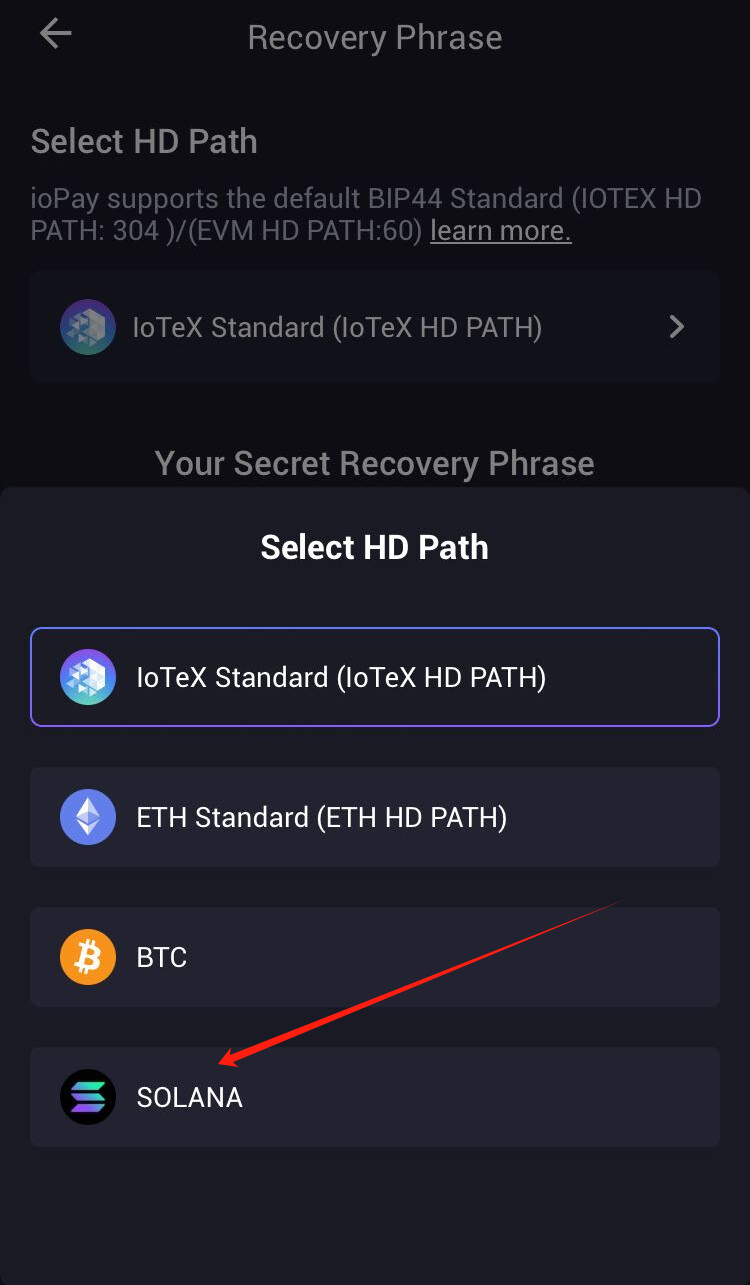

- Connect your wallet. If you’re not using the Solana network, you can choose the “Browser Wallet” option to connect. For Solana, you’ll need to use the “ioPay” option to connect.

- Once the wallet is connected, you can follow the tutorial above to perform cross-chain transactions.
5. Check Your Transaction
You can use the “Transactions” feature on ioTube to check if your cross-chain transaction has been received.

Alternatively, you can also check your balance on the IoTeX block explorer (https://iotexscan.io) or the Solana block explorer (https://solscan.io/).
6. Trading Tokens on IoTeX
IoTeX Hub is a one-stop platform built on IoTeX, allowing you to manage your on-chain assets, stake tokens, participate in IoTeX-hosted campaigns, and more — all in one place. In this guide, we’ll show you how to trade your tokens using IoTeX Hub.
Alternatively, you can also trade on Mimo Exchange, the leading DEX on IoTeX:  https://mimo.exchange
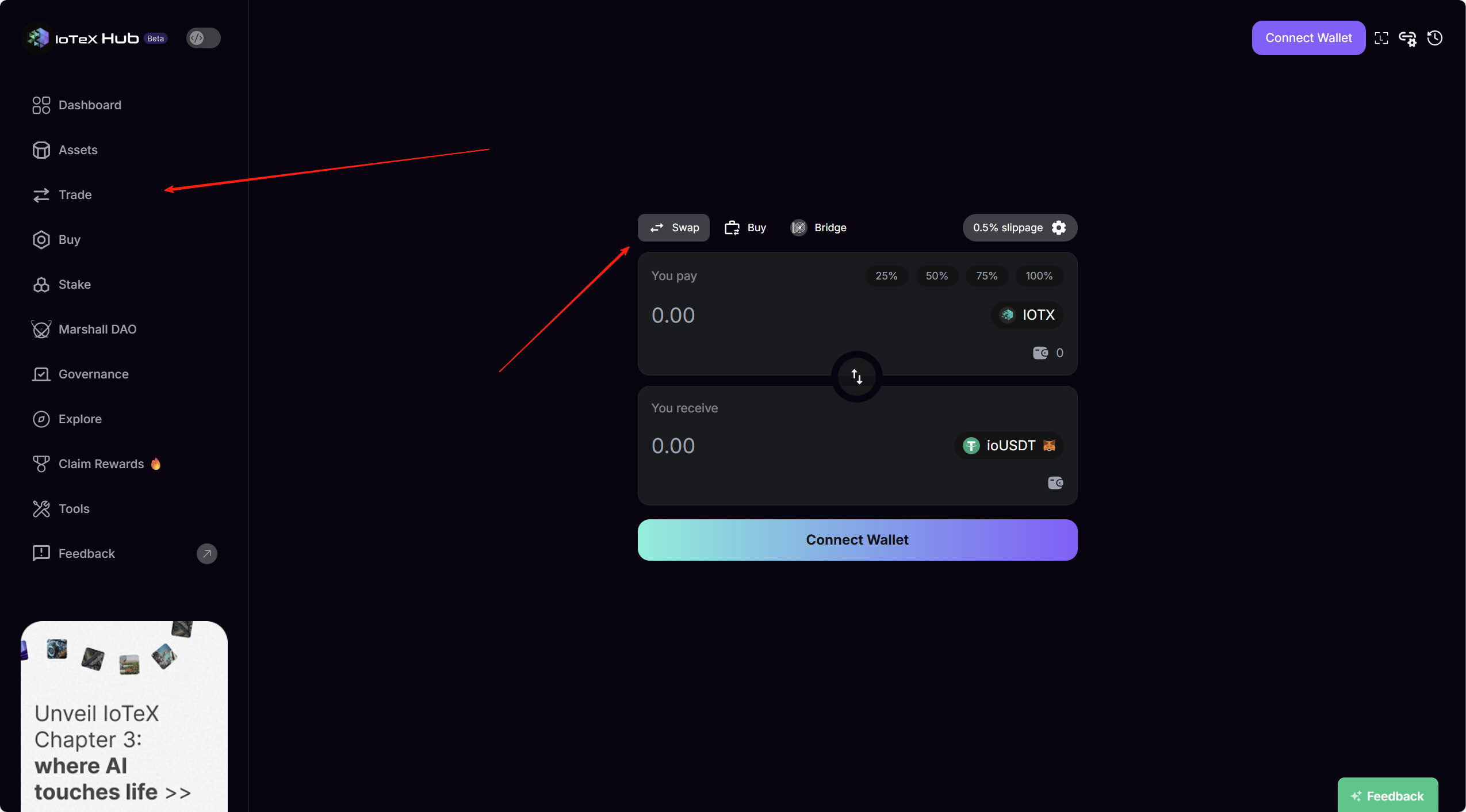
Steps to Trade on IoTeX Hub
1. Visit IoTeX Hub You can access it via web or directly through the ioPay wallet at: https://hub.iotex.io
2. Connect Your Wallet Connect your IoTeX wallet using MetaMask or ioPay (available on web, mobile, or browser extension).
3. Navigate to the “Swap” Section Go to the Swap tab, find the token you want to trade, and enter the trade details.
4. Confirm the Swap Enter the amount → Click Swap → Approve the transaction in your wallet.
 That’s it! You’ve successfully traded your tokens on the IoTeX network!
Questions?
Please reach out to us on Telegram with any questions: Telegram: View @IoTeXGroup